Connecting Bitbucket Cloud to Your Application
Plexicus integrates with Bitbucket Cloud (bitbucket.org) only. There is no
Bitbucket Server / Data Center support: no provider implementation, no client
for Bitbucket Server's /rest/api/1.0 API, and no instance-URL field on the
connector — every call it makes goes to api.bitbucket.org, so it cannot be
pointed at a self-managed Bitbucket. If you run Bitbucket Data Center, mirror
the repositories to a supported forge or contact
engineering@plexicus.ai.
Before your users can click Connect, the deployment needs a Bitbucket Cloud
OAuth consumer of your own, registered with the callback URL
https://<your-plexicus-domain>/api/callback/bitbucket_cloud and the
permissions Account (Read), Repositories (Read), Pull requests (Write), Issues
(Write). Plexicus sends no scope parameter to Bitbucket, so those permission
checkboxes are exactly what the resulting token carries — set them before you
connect. See the
SCM Connection Reference → Bitbucket Cloud.
Follow these steps to connect your Bitbucket Cloud account:
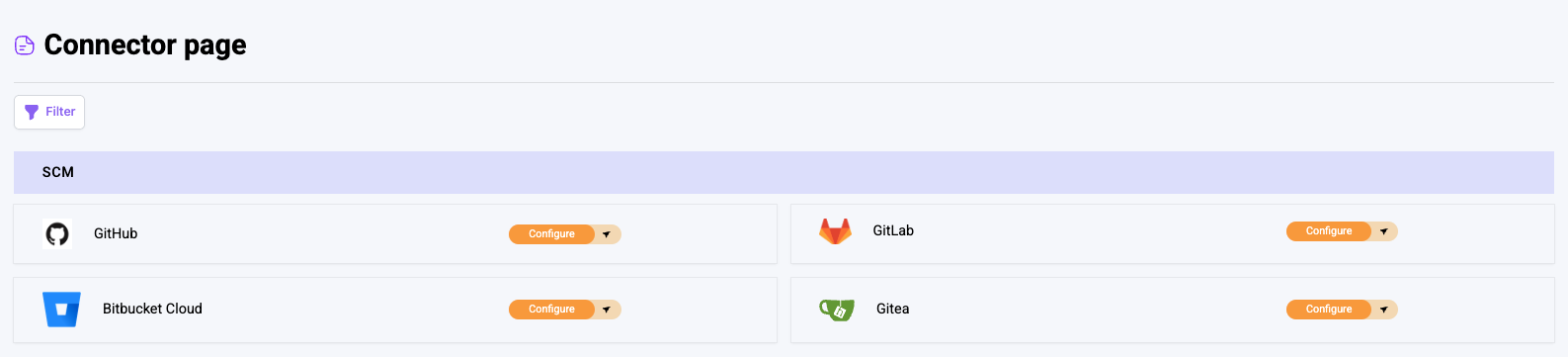
1. Access the Connector Page
- Log in to your account
- Navigate to the Connector page
- Find the SCM Panel
- Click on the Bitbucket Cloud section
2. Initiate the Connection
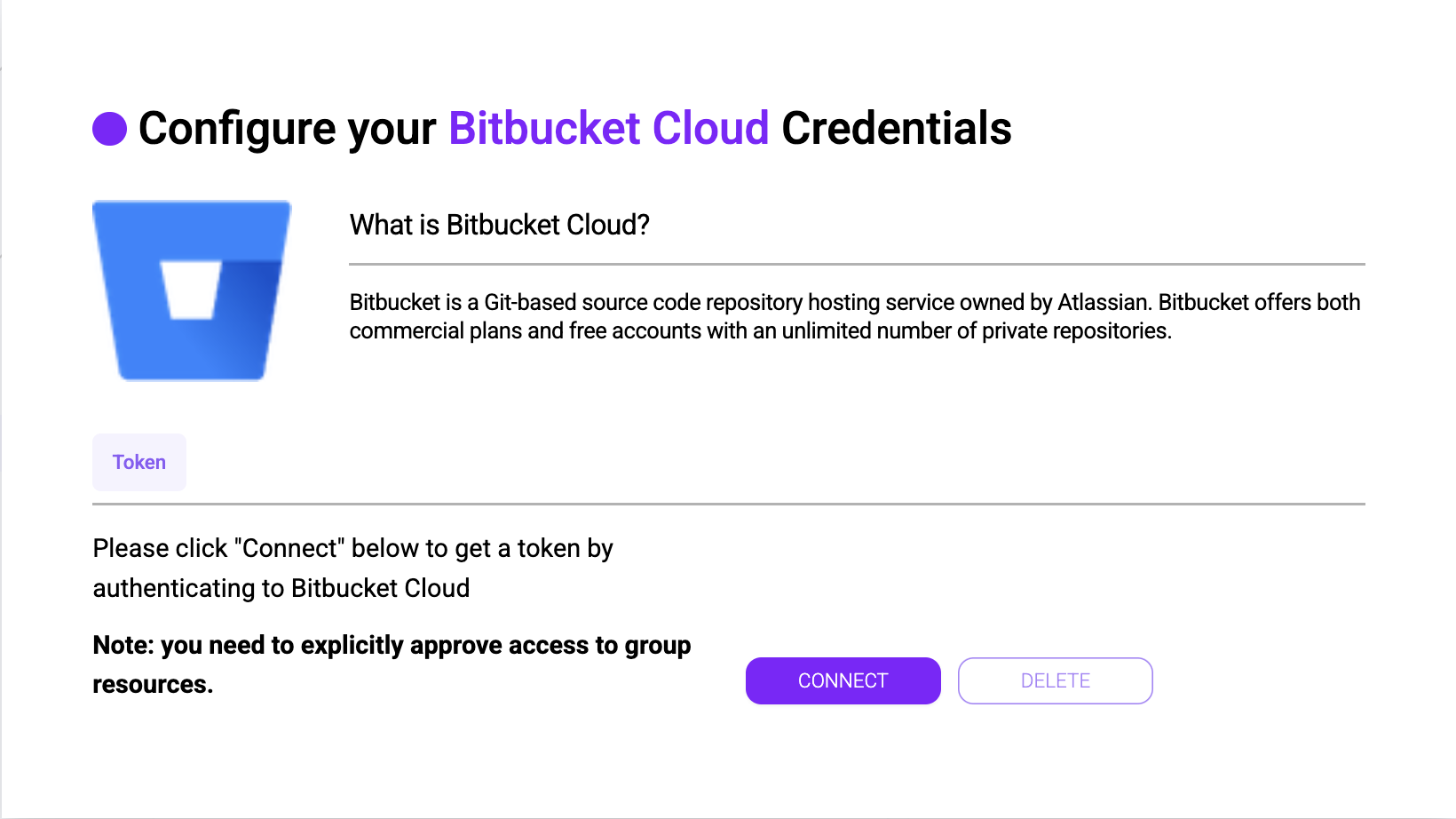
- It will show tab
Token - Click the
Connectbutton
3. Authorize Bitbucket Cloud Access
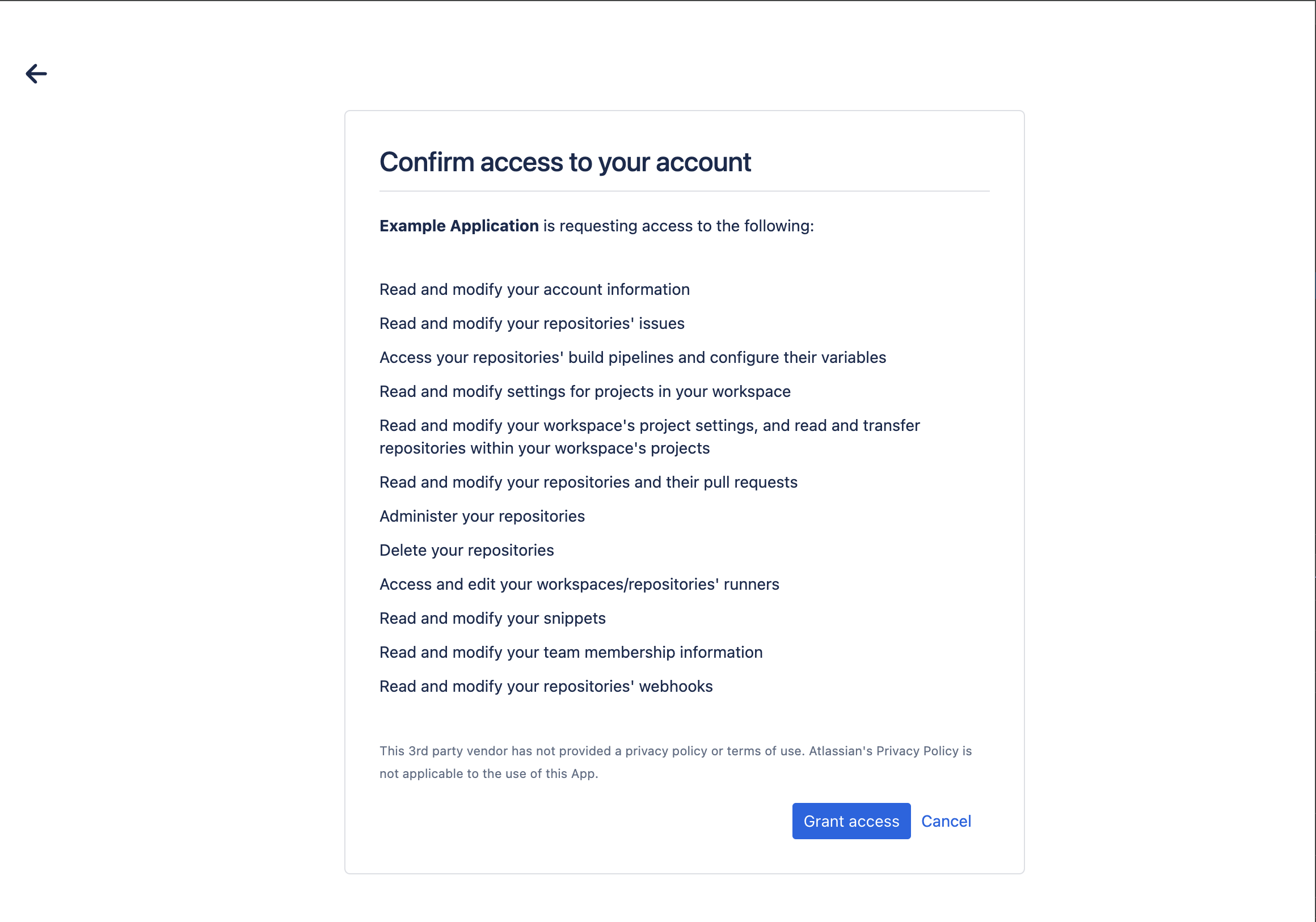
- Wait for the authorization process to complete
- Grant necessary permissions for Plexicus to access your Bitbucket account
4. Finalize the Connection
- You'll be redirected back to Plexicus
- Verify that the connector is successfully configured
Next Steps
You can now create an application using Bitbucket Cloud as your Source Control Management (SCM) system.
