Connecting Gitea to Your Application
Gitea is a personal-access-token connector. It performs no OAuth redirect, so there is no callback URL to register and no client id or secret to configure — on Plexicus SaaS or on a self-hosted deployment. You supply your instance URL and a token, and Plexicus validates the token against your instance before saving it.
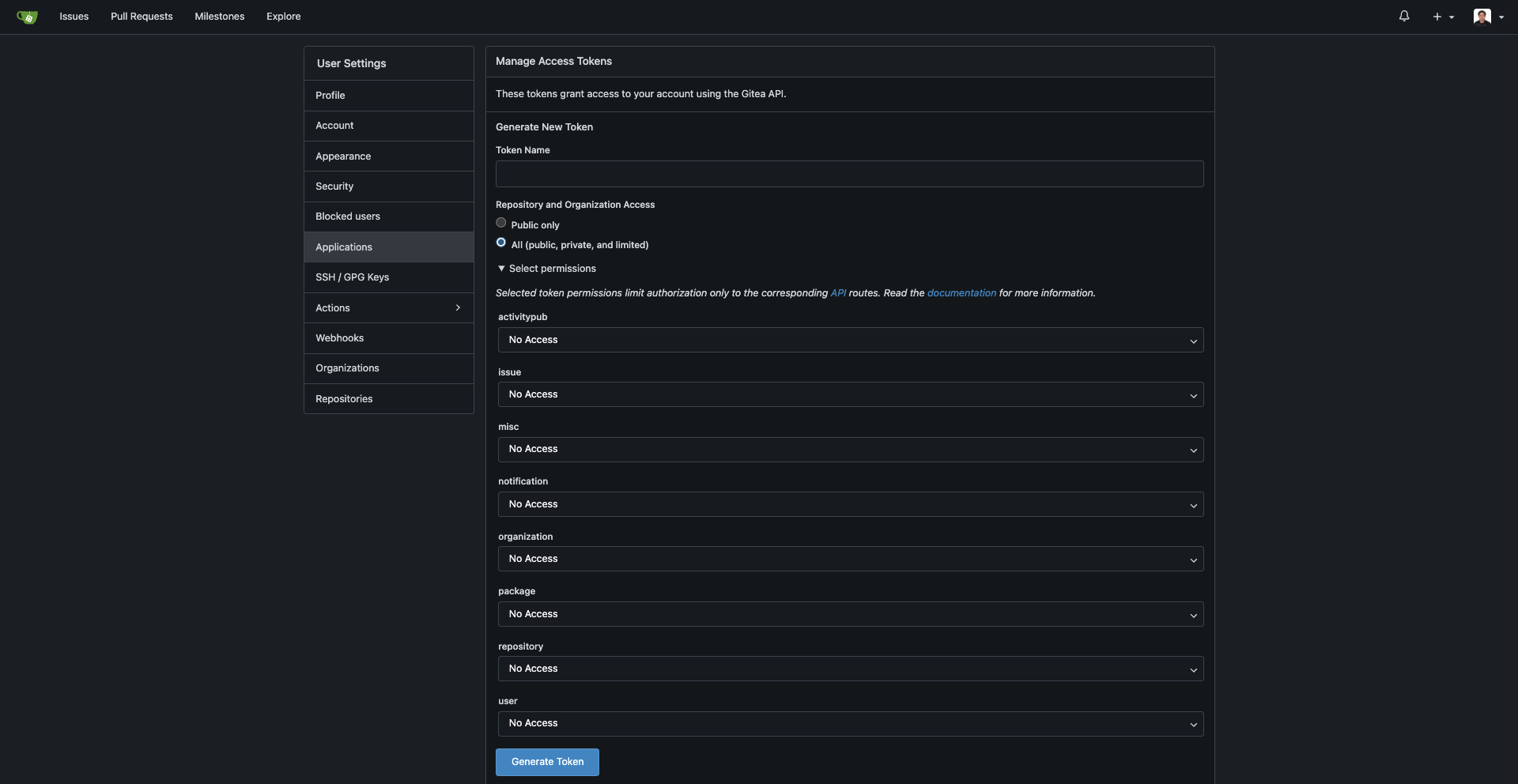
The token needs, at minimum:
- repository: read — repository discovery, cloning and scanning
- user: read — Plexicus verifies the token against your instance's
/api/v1/userendpoint - repository: write — additionally required for remediation pull requests
Follow these steps to connect your Gitea account:
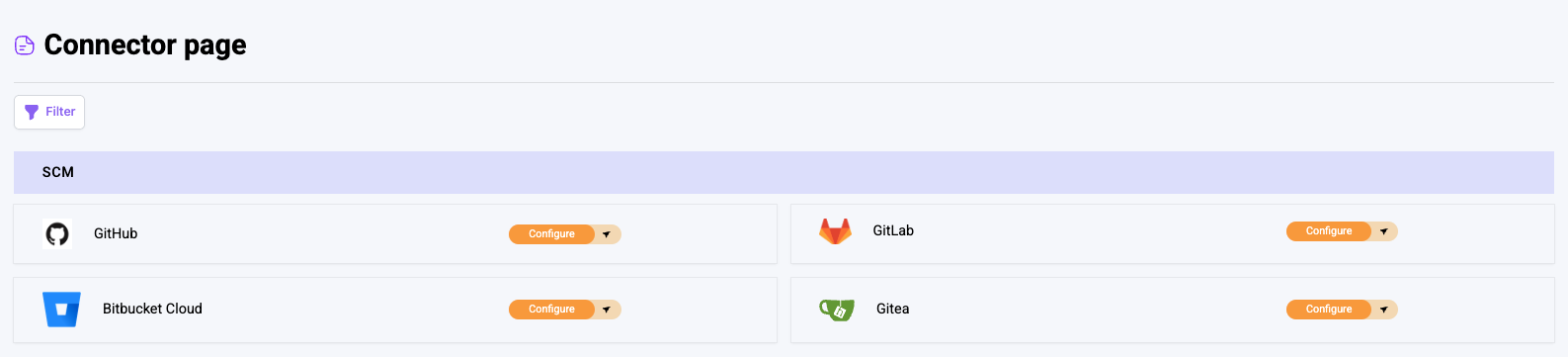
1. Access the Connector Page
- Log in to your account
- Navigate to the Connector page
- Find the SCM Panel
- Click on the Gitea section
2. Initiate the Connection
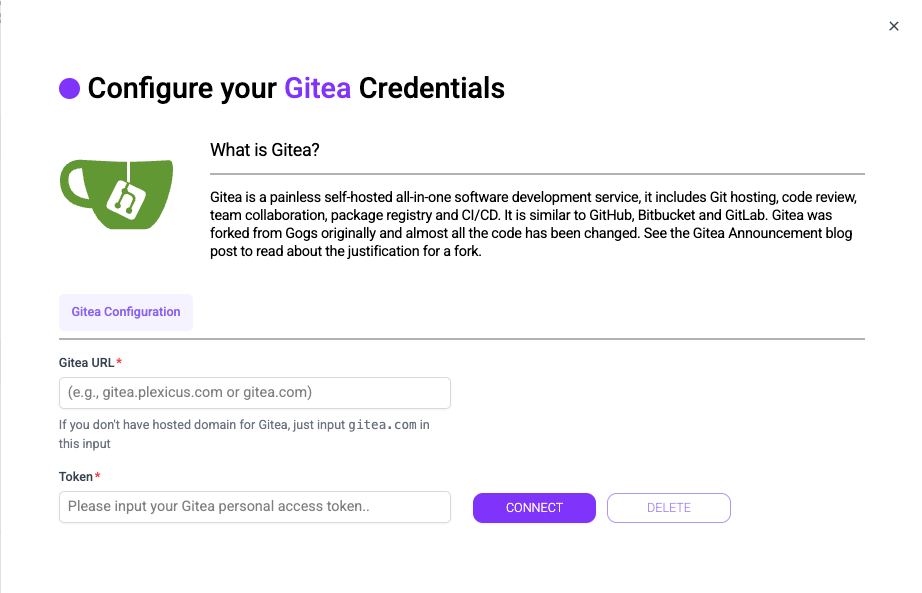
- It will show tab
Gitea Configuration - URL input can be filled with original
gitea.comor use your own gitea cloud domain
- For the token, you can login into your Gitea account and inside setting click Applications tab. Then you will have to fill the permission and token name before generating the token
3. Finalize the Connection
- After all input are filled, click the
Connectbutton - Verify that the connector is successfully configured
4. Setup app.ini file
- To make sure if the Gitea url can be accessible to our platform, you can apply below changes:
[cors]
ENABLED = true
ALLOW_DOMAIN = plexicus.com
ALLOW_SUBDOMAIN = true
- If some cases you want to have some extra configuration like firewall or IP Whitelist, this is our latest IP: 68.221.250.222
Please take a note the IP will likely to change in any moment due to our application updates.
The domain and IP above apply to Plexicus SaaS. On a self-hosted deployment
substitute your own: set ALLOW_DOMAIN to your Plexicus hostname, and allow-list
the egress IP of your Plexicus cluster rather than the one above. Gitea only has
to be reachable from your own network.
Next Steps
You can now create an application using Gitea as your Source Control Management (SCM) system.
