Connecting GitHub to Your Application
Plexicus connects to github.com through a GitHub App: a browser OAuth redirect followed by installing the app on the account or organisation that owns your repositories. GitHub Enterprise Server is connected differently — see GitHub Enterprise Server below.
Before your users can click Connect, the deployment needs a GitHub App of
your own, registered with two callback URLs — one on your Plexicus domain
and one on its api. subdomain. The exact URLs, permissions and chart values
are in the
SCM Connection Reference → GitHub.
On Plexicus SaaS this is already done for you.
Follow these steps to connect your GitHub account:
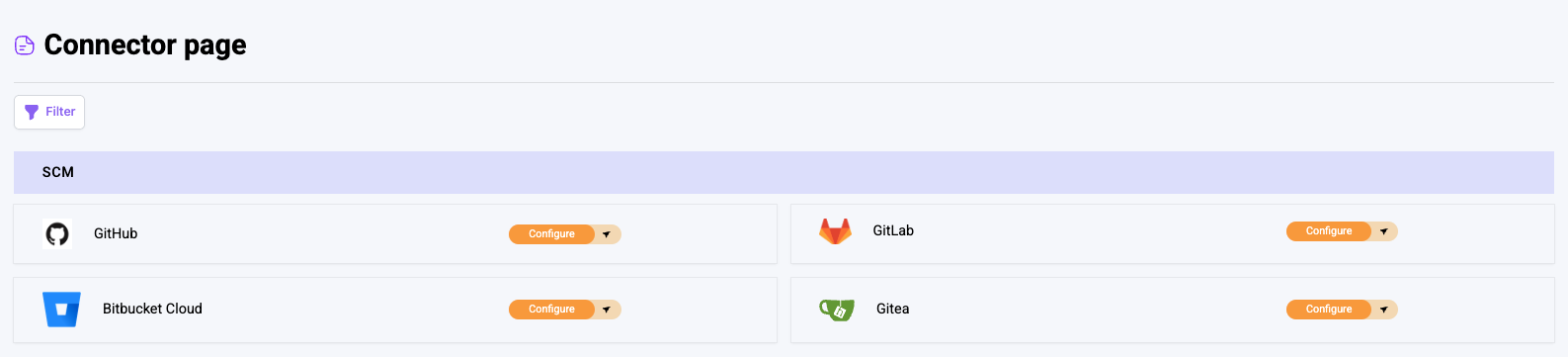
1. Access the Connector Page
- Log in to your account
- Navigate to the Connector page
- Find the SCM Panel
- Click on the GitHub section
2. Initiate the Connection
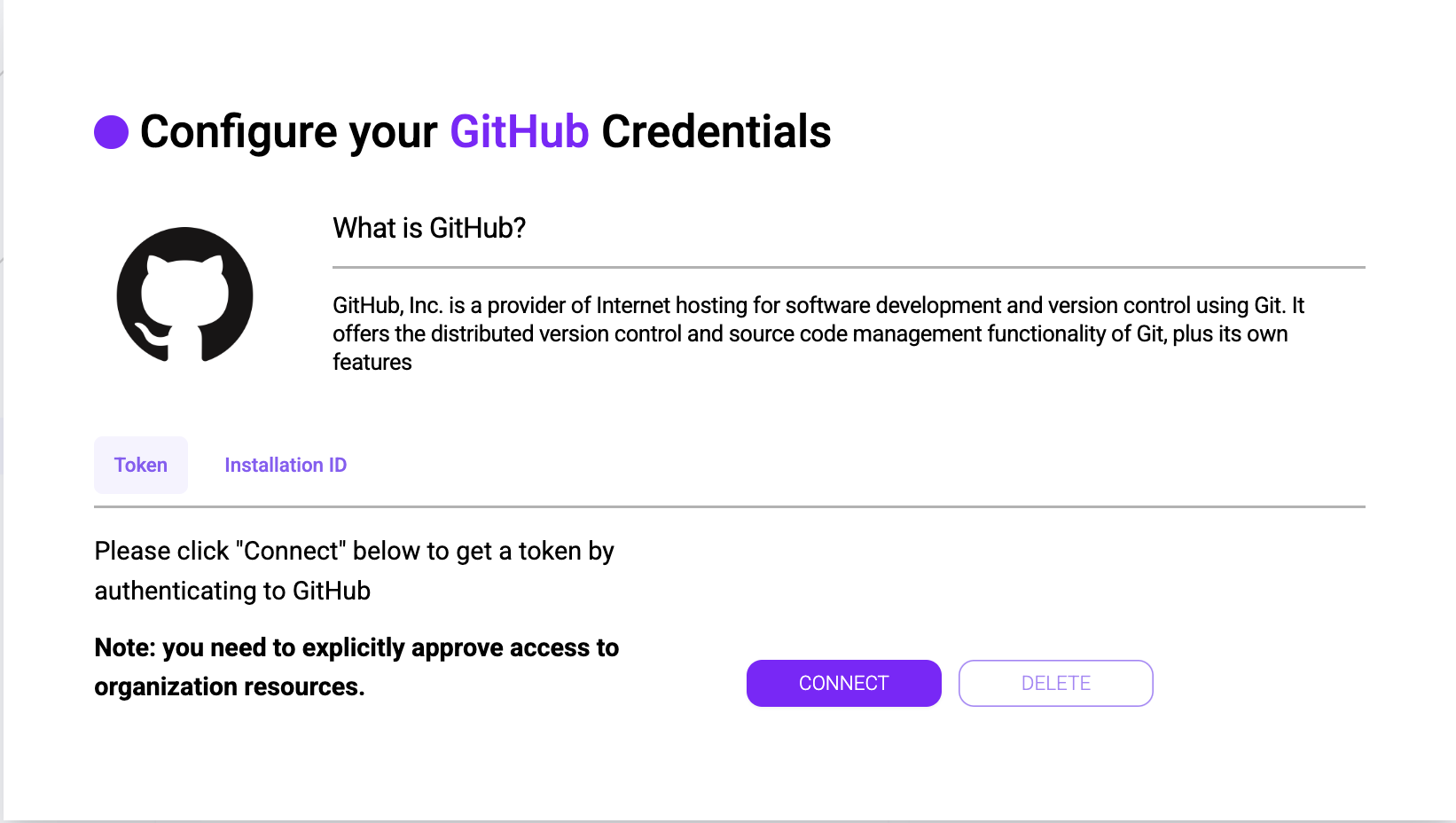
- It will show tabs with the
TokenandInstallation ID - Select the
Tokentab - Click the
Connectbutton
3. Authorize GitHub Access
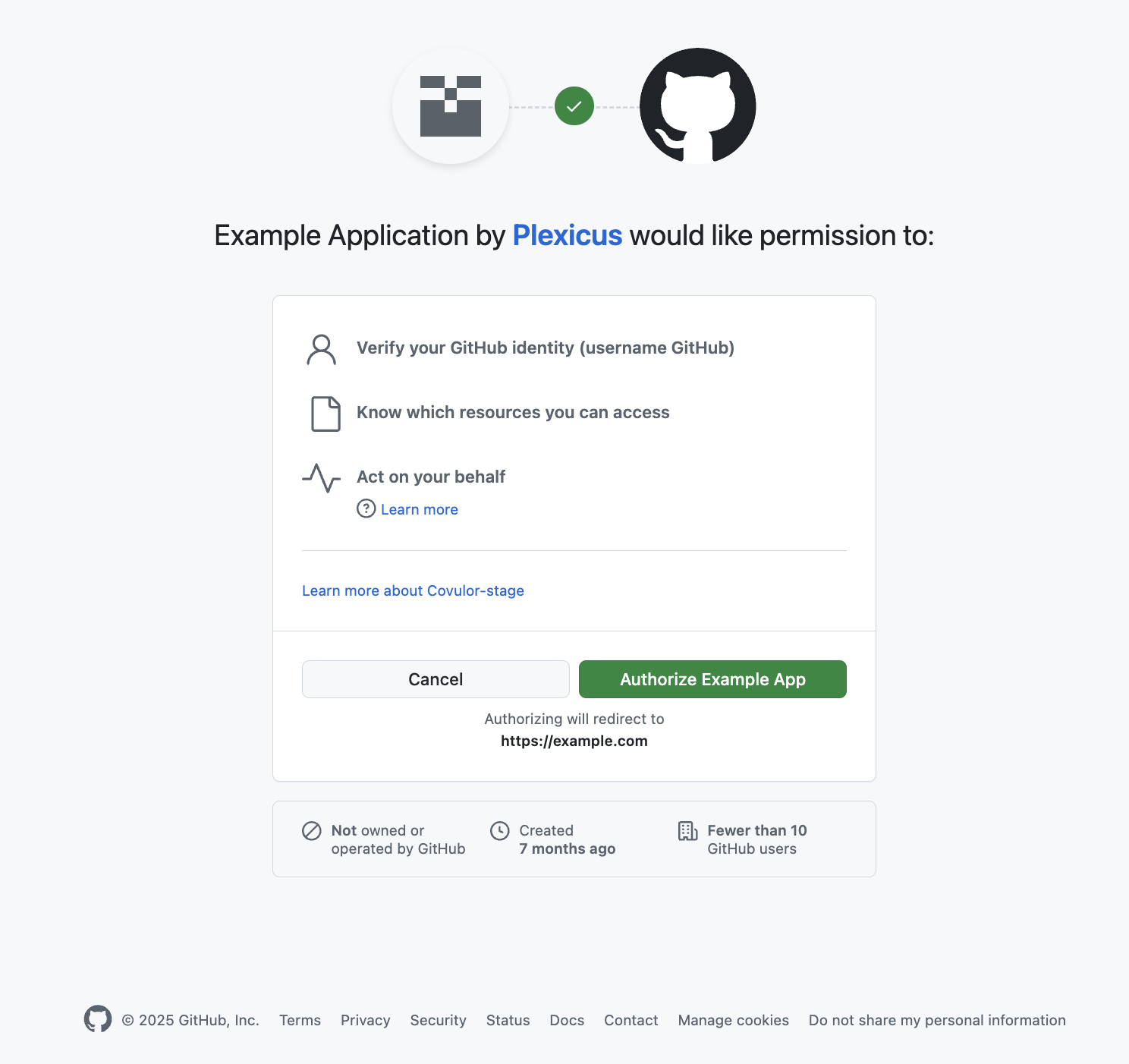
- Wait for the authorization process to complete
- Grant necessary permissions for Plexicus to access your GitHub account
4. Install Plexicus Application
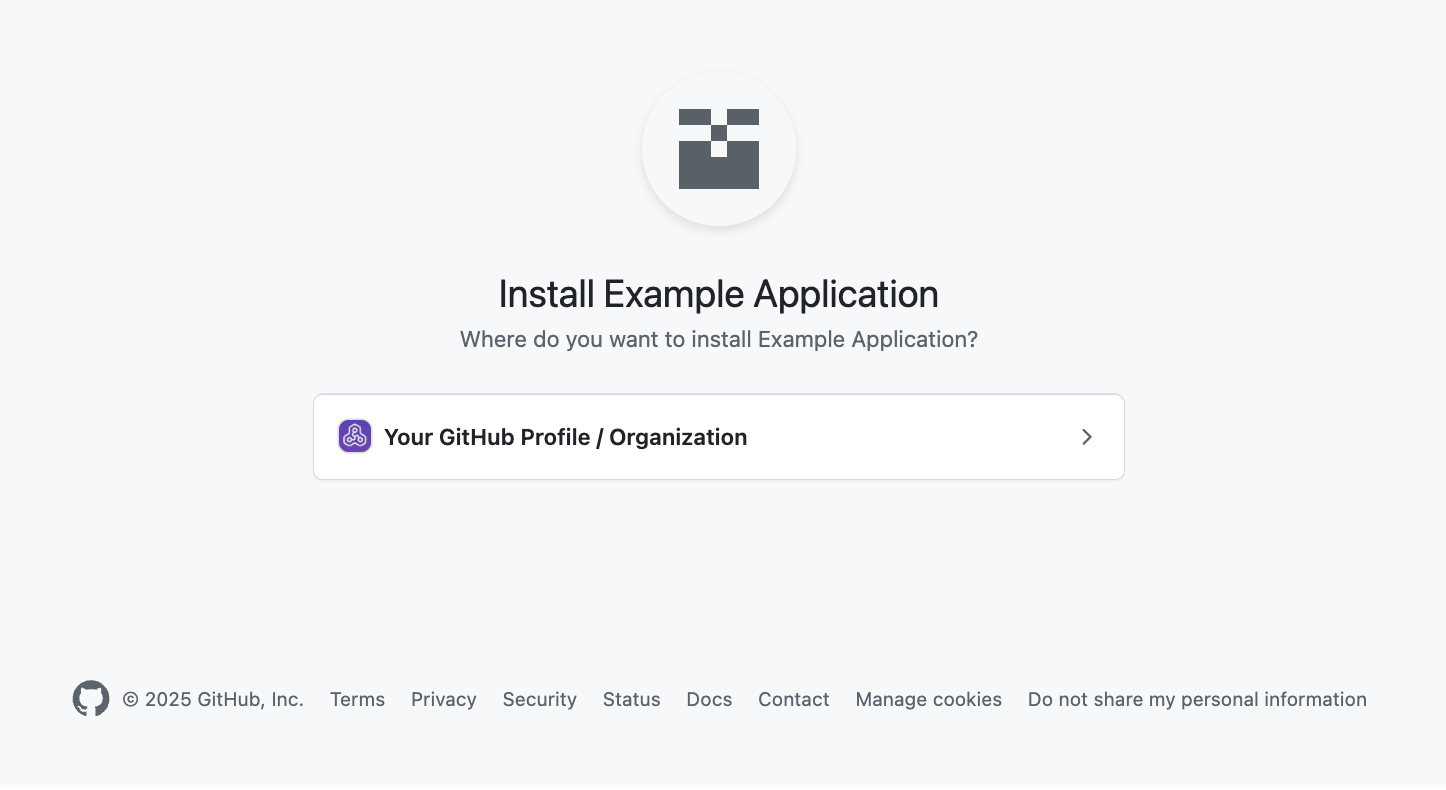
- The Plexicus application will be installed on your GitHub account
- Select the repositories you want to use with Plexicus
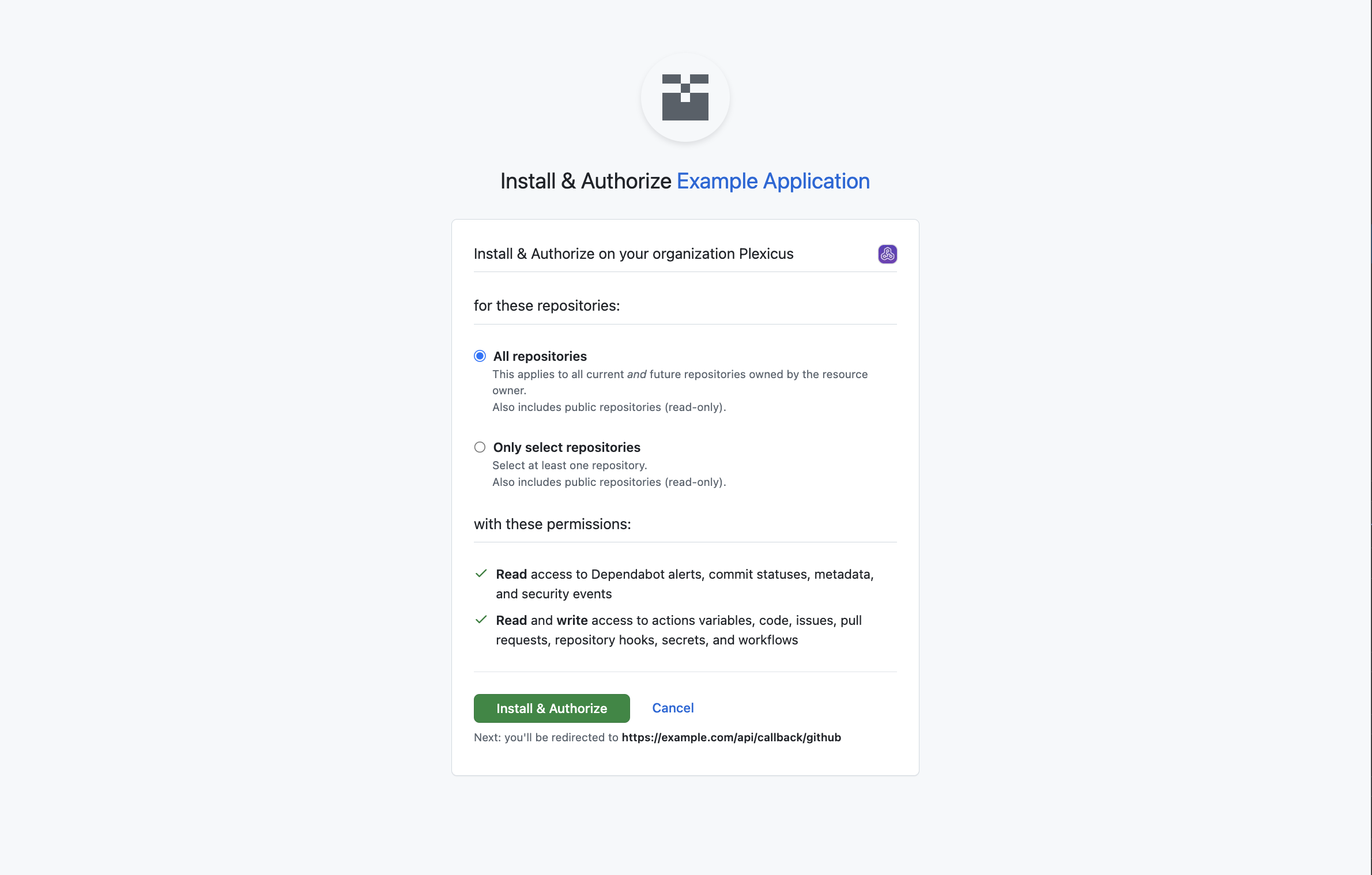
5. Finalize the Connection
- You'll be redirected back to Plexicus
- Verify that the connector is successfully configured
GitHub Enterprise Server
A self-managed GitHub Enterprise Server instance is connected per connection, with credentials that belong to that instance. On the GitHub connector card, choose GitHub Enterprise Server and provide:
- GitHub Enterprise URL — e.g.
https://ghe.corp.local - Exactly one of these credential sets; Plexicus detects which mode you meant:
| Mode | Fields | Browser redirect? | Register a callback URL? |
|---|---|---|---|
| Personal access token | PAT (ghp_… or github_pat_…) | No | No |
| OAuth App | Client ID + Client Secret | Yes | Yes — https://<your-plexicus-domain>/api/callback/github |
| GitHub App | App ID + private key (PEM) | No | No |
Only the OAuth App mode leaves Plexicus: it sends you to
https://<your-ghes-host>/login/oauth/authorize and returns to your Plexicus
domain. So that callback URL — the one your users log in on, with no api.
prefix — is what you register on the OAuth App you create inside GHES.
Plexicus reads a GHES instance through <your-ghes-url>/api/v3 (REST) and
<your-ghes-url>/api/graphql (GraphQL); both must be reachable from wherever
Plexicus runs.
Next Steps
You can now create an application using GitHub as your Source Control Management (SCM) system.
